
The latest updates to RentalResult bring sharper visibility and stronger branding tools right into your daily workflows, helping you stay ahead of issues and present your operation at its best. Need to catch equipment shortages before they create job site headaches? Want your internal rental division to look more polished and professional online? This release delivers both. We’ve added smarter visibility into availability issues, so you’re not caught off guard weeks from now, and a new way to put your brand front and center in the Job Site Portal. Keep reading to see how these updates can sharpen your workflows and elevate your operation.
Access the full release notes here.
Smarter Job Costing with Less Manual Entry
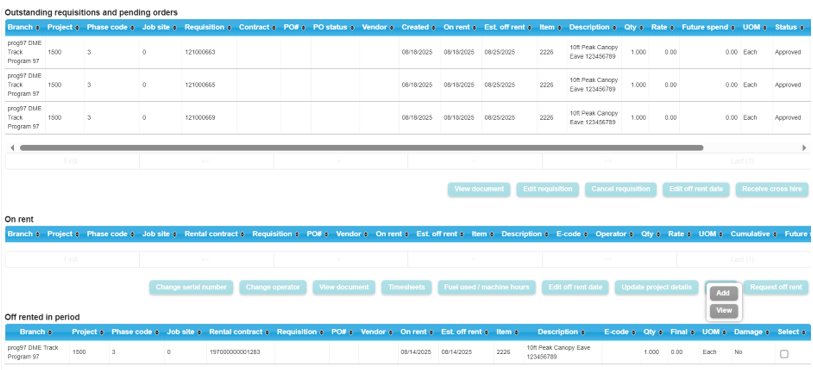
Keeping job costs accurate often comes down to one simple thing: entering the right codes at the right time. This update makes that easier by letting your team set default phase codes and analysis structures at the item code level, so they automatically carry into requisitions, hires, sales orders, and purchase orders created in both the Jobsite Portal and the core system.
The benefit is straightforward: less manual entry, fewer coding errors, and more consistent cost data across every job. It also helps keep field and office teams working from the same playbook, no matter where the transaction starts.
For larger operations, item analysis sets can also be uploaded through the SOAP web interface, making setup and maintenance more efficient at scale.
Turn Re-Rentals into Owned Assets—Without Breaking Your Workflow
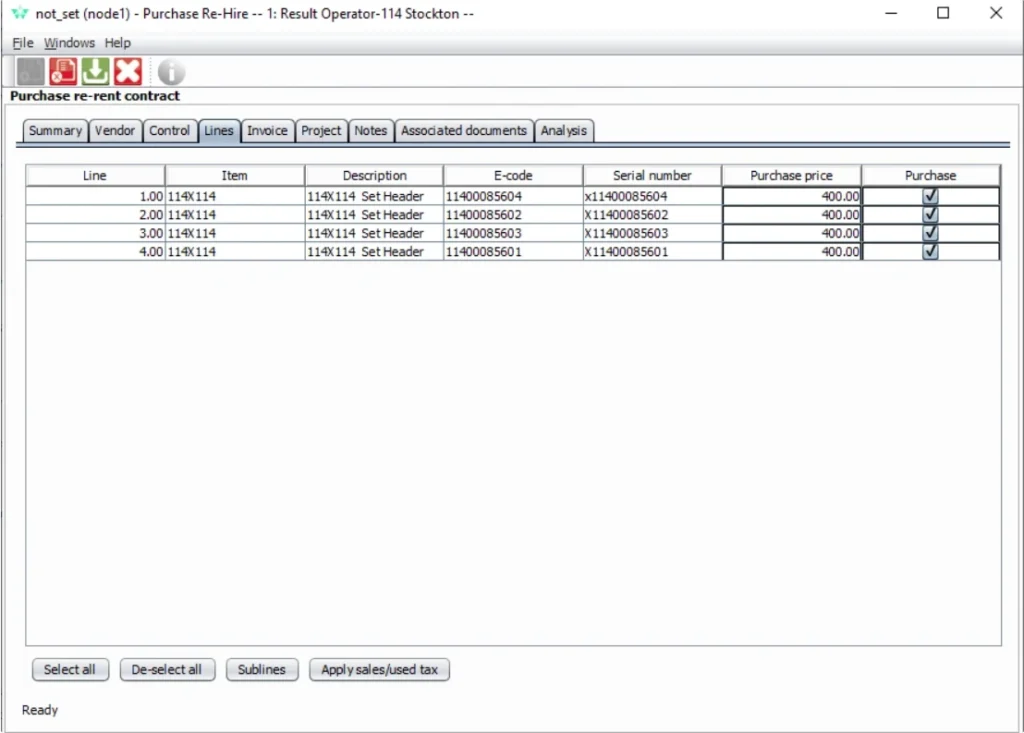
Re-rented equipment often fills immediate needs—but what happens when it makes more sense to own it? This update makes that transition seamless.
You can now purchase re-rented (e-coded) items directly within your standard purchasing workflows. There’s no need for workarounds or separate processes—everything flows through your existing purchase order and approval structure.
The flexibility is built in:
- Create a purchase order to buy the asset immediately
- Or start with a purchase quote and complete the purchase upon approval
Once purchased, the system automatically converts the re-rented item into an owned asset. It updates the e-code, adds the item to your asset register, and assigns both purchase cost and net book value—giving you immediate visibility into asset value and lifecycle.
Even better, you can purchase re-rented items regardless of their current status or location, removing operational bottlenecks and giving your team more control over fleet decisions.
Simplify Re-Rent Orders and Pick-Ups
This release focuses on simplifying everyday workflows and improving consistency across your equipment operations. From automating re-rent processes to standardizing job costing and improving field-to-yard communication, each update is designed to reduce manual effort and increase accuracy. The result is a more connected system that helps your team move faster and make better decisions with less friction.
When the system creates an automatic back-to-back order for a re-rented item, it also triggers the next steps needed to receive the purchase order and place the contract on rent. Then, when a pick-up note is created for re-rented items, the system automatically queues those items to be off-rented and returned to the vendor the following day.
For users, that means fewer manual touchpoints, smoother order handling, and a more efficient pick-up process from start to finish. It also helps reduce delays and keeps re-rent activity moving accurately through the workflow.
Make Delivery and Pickup Requests Easier to Plan
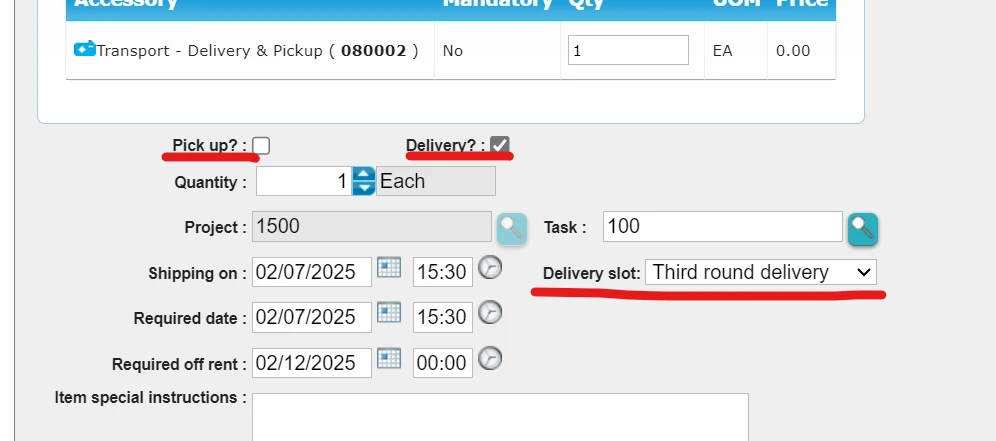
Clearer delivery and pickup details at the start of a requisition can save time for both field teams and the yard. With this update, you can now set configurable default rules for pickup and delivery, helping users make the right selection faster and more consistently.
Jobsite Portal users can also choose their preferred delivery round, giving your team an added planning indicator when scheduling equipment movements.
The result is a smoother requisition process, better delivery visibility, and improved coordination between the jobsite and the yard.
Want to see how these updates can make a difference in your workflow?
Reach out to your Customer Success Manager for a walkthrough of the new features, guidance on best practices, or help enabling them in your environment. We’re here to make sure you get the most out of every release.